How do I enable the Partnership Ad Code for Instagram?
For an advertiser to promote your Reel or post as a Partnership Ad, you need to enable Branded Content Tools in Instagram once, and then generate a Partnership Ad Code per post. The setup is a one-time step – after that you generate a code for each post the advertiser should boost.
One-time setup
Step 0: Open your profile in the Instagram app and tap the menu icon (≡) in the top right.
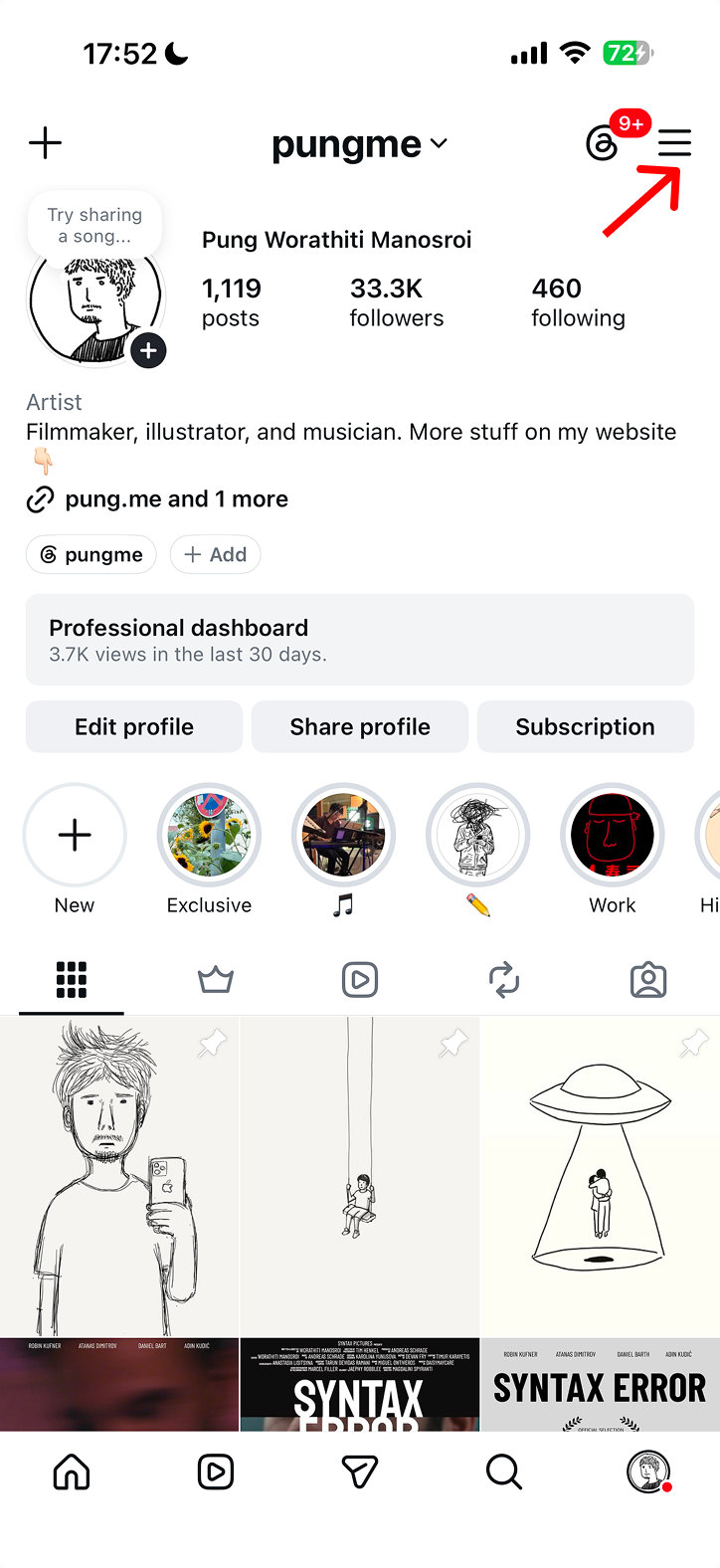
Step 1: Go to „Settings and activity“ and tap „Account type and tools“.
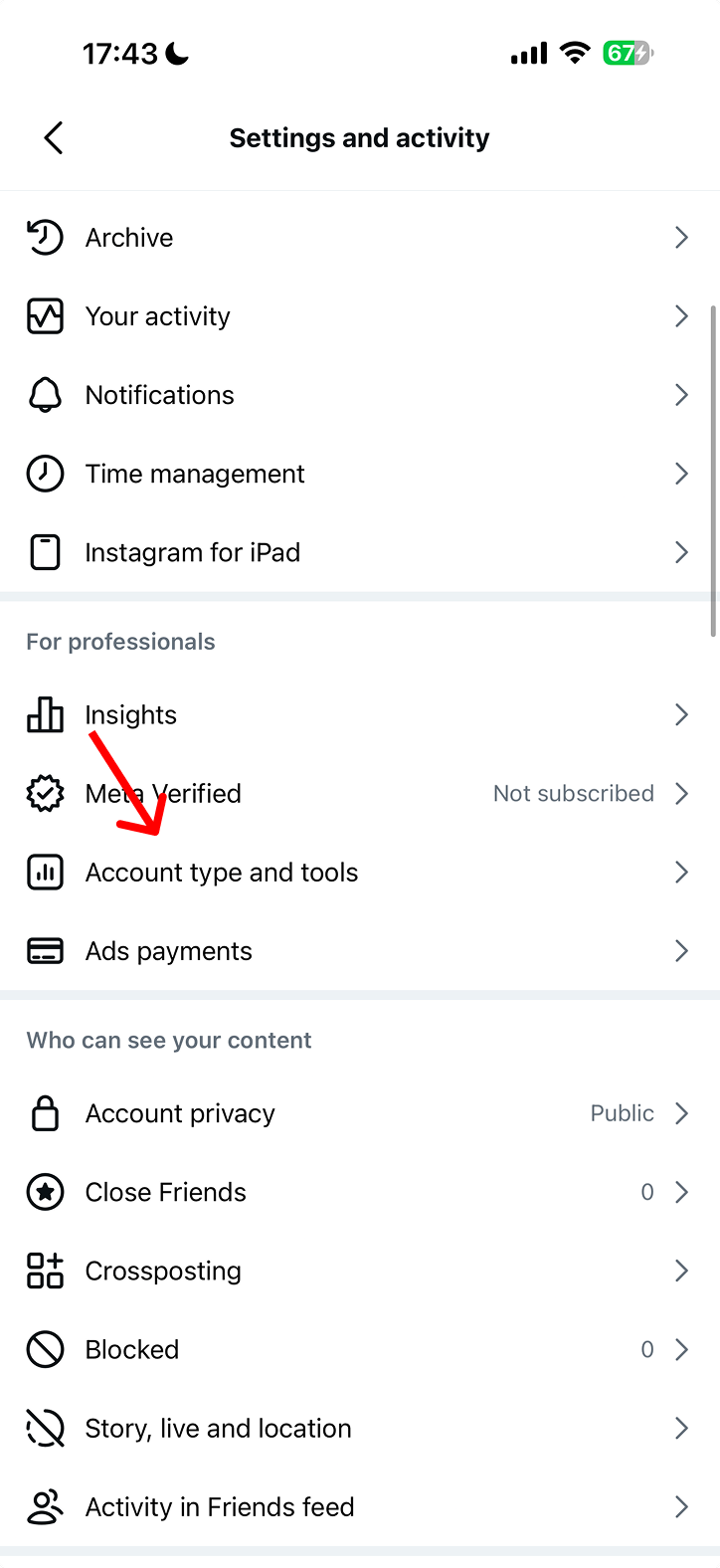
Step 2: Tap „Branded content“.
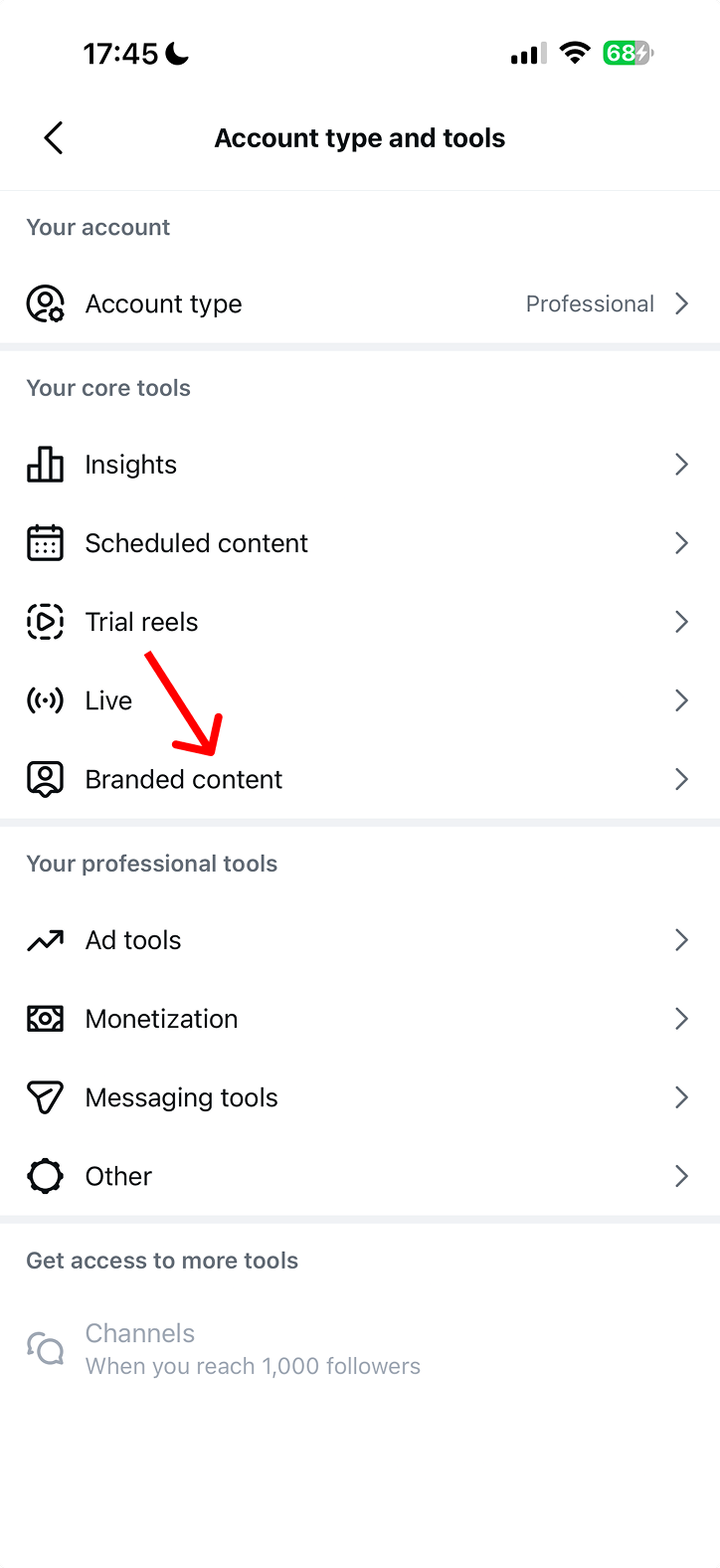
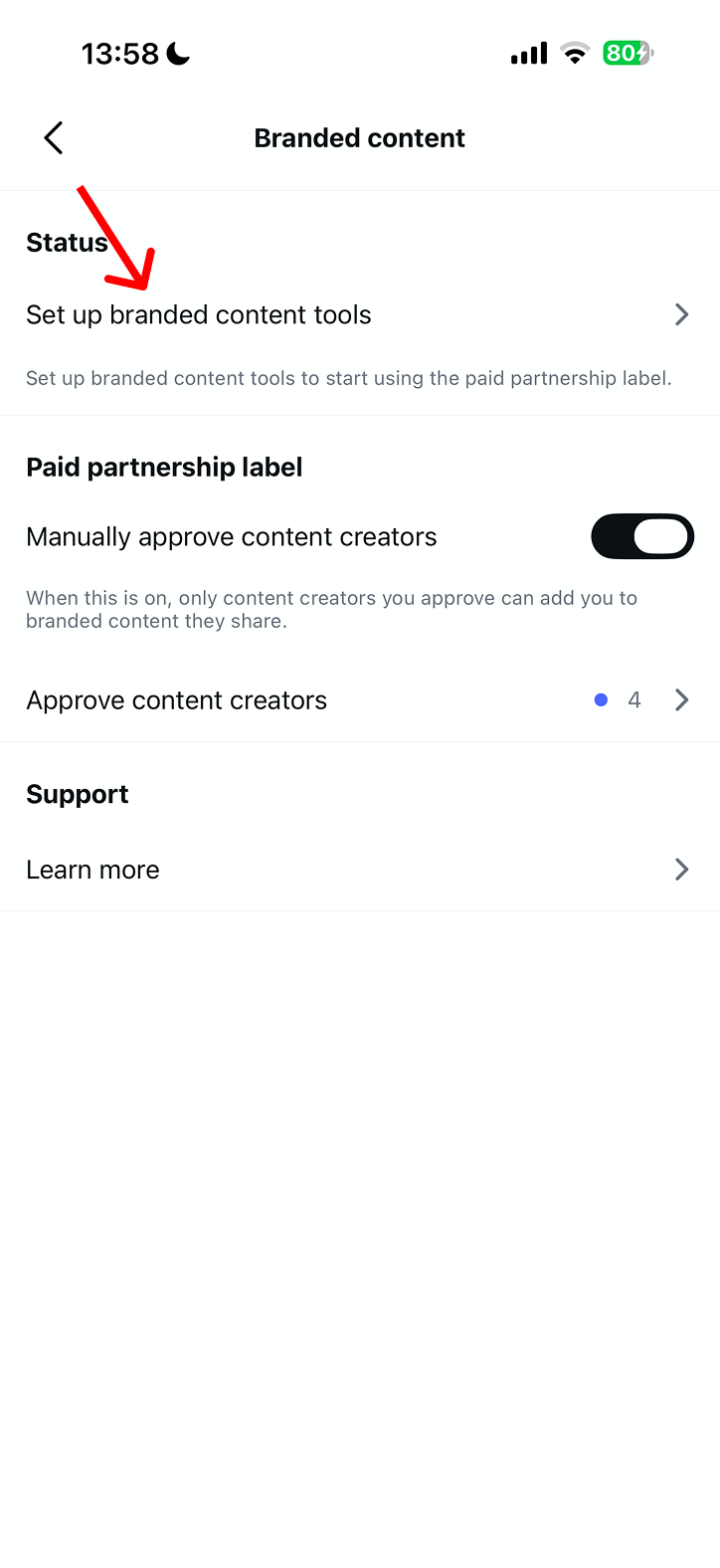
Step 3: Tap „Set up branded content tools“.
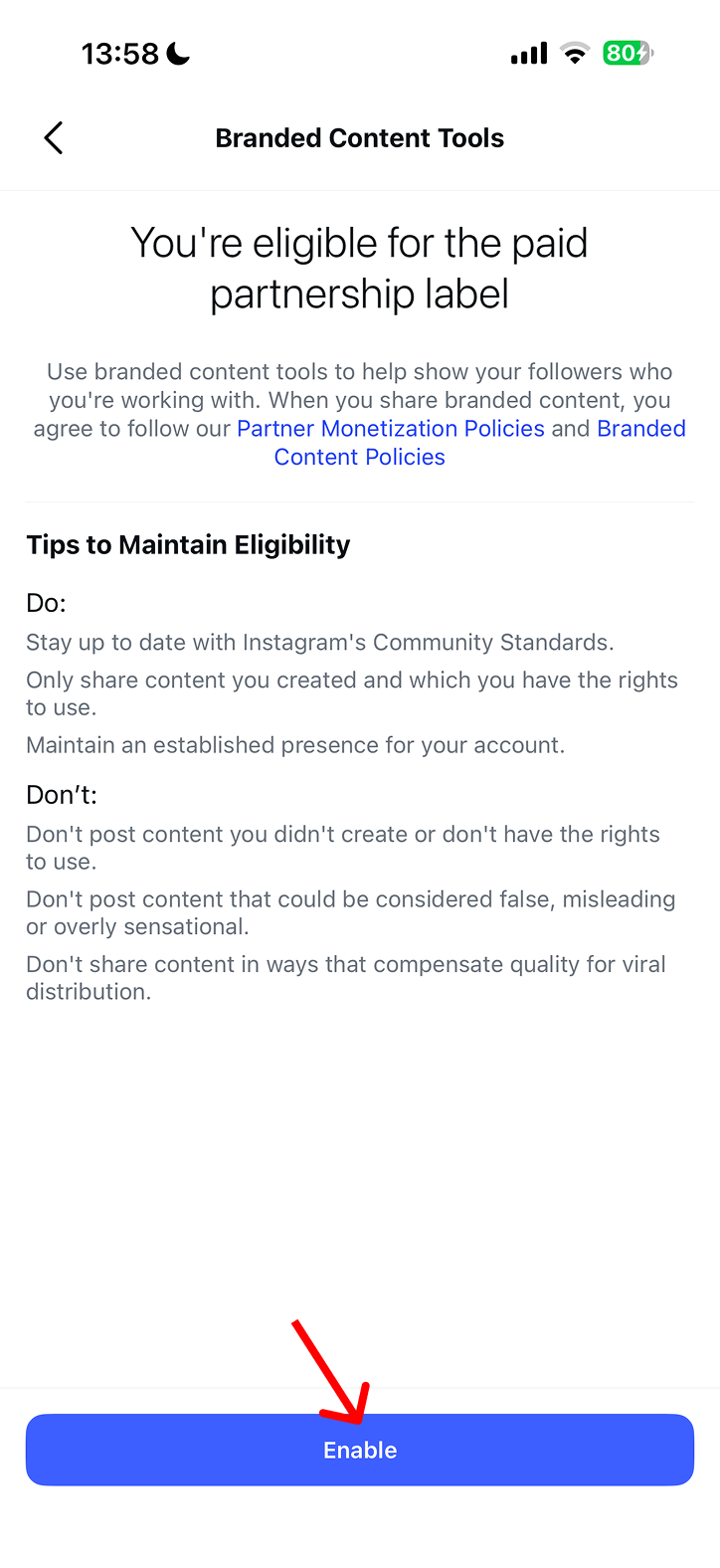
Step 4: Read the policy and tap „Enable“.
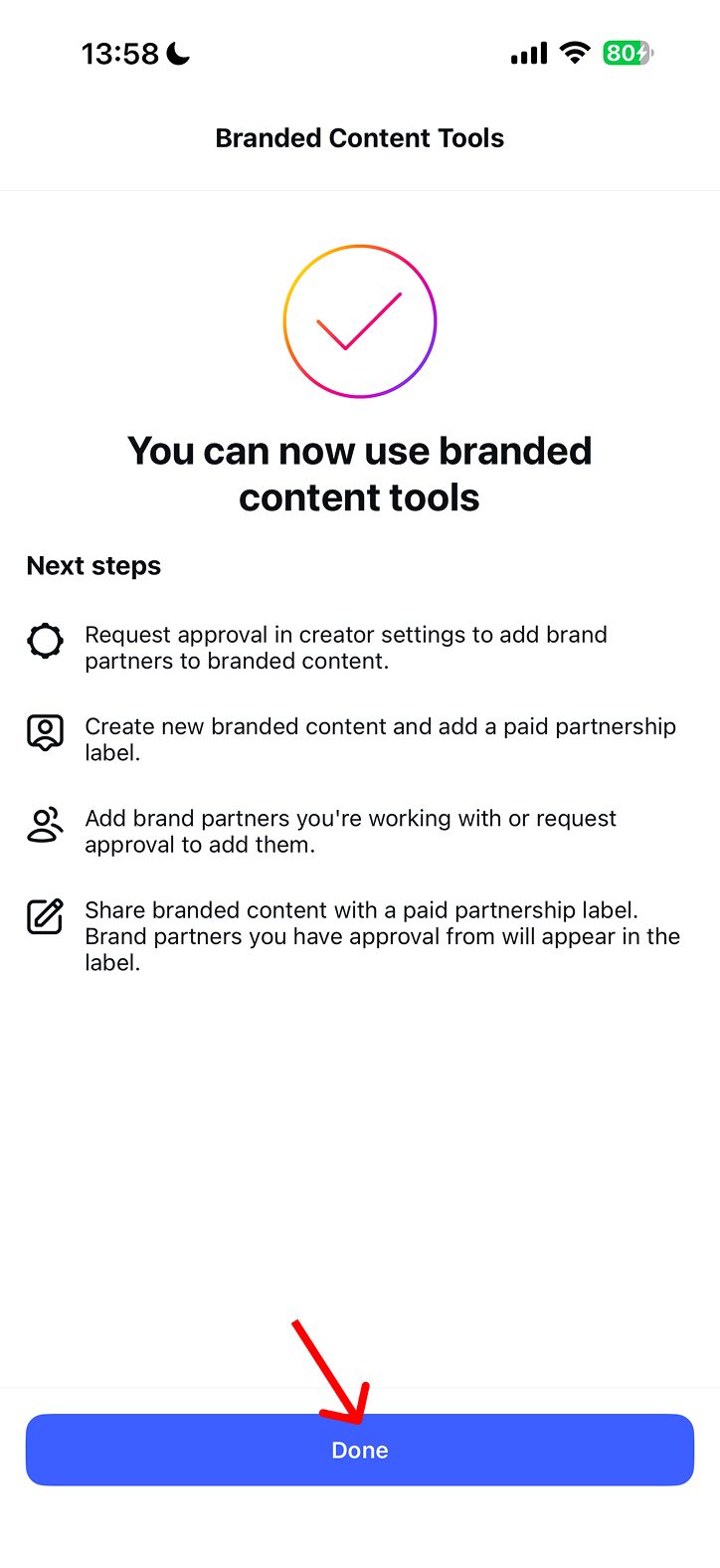
Step 5: The confirmation screen appears – tap „Done“. Branded Content Tools are now active on your account.
Generate the Partnership Ad Code per post
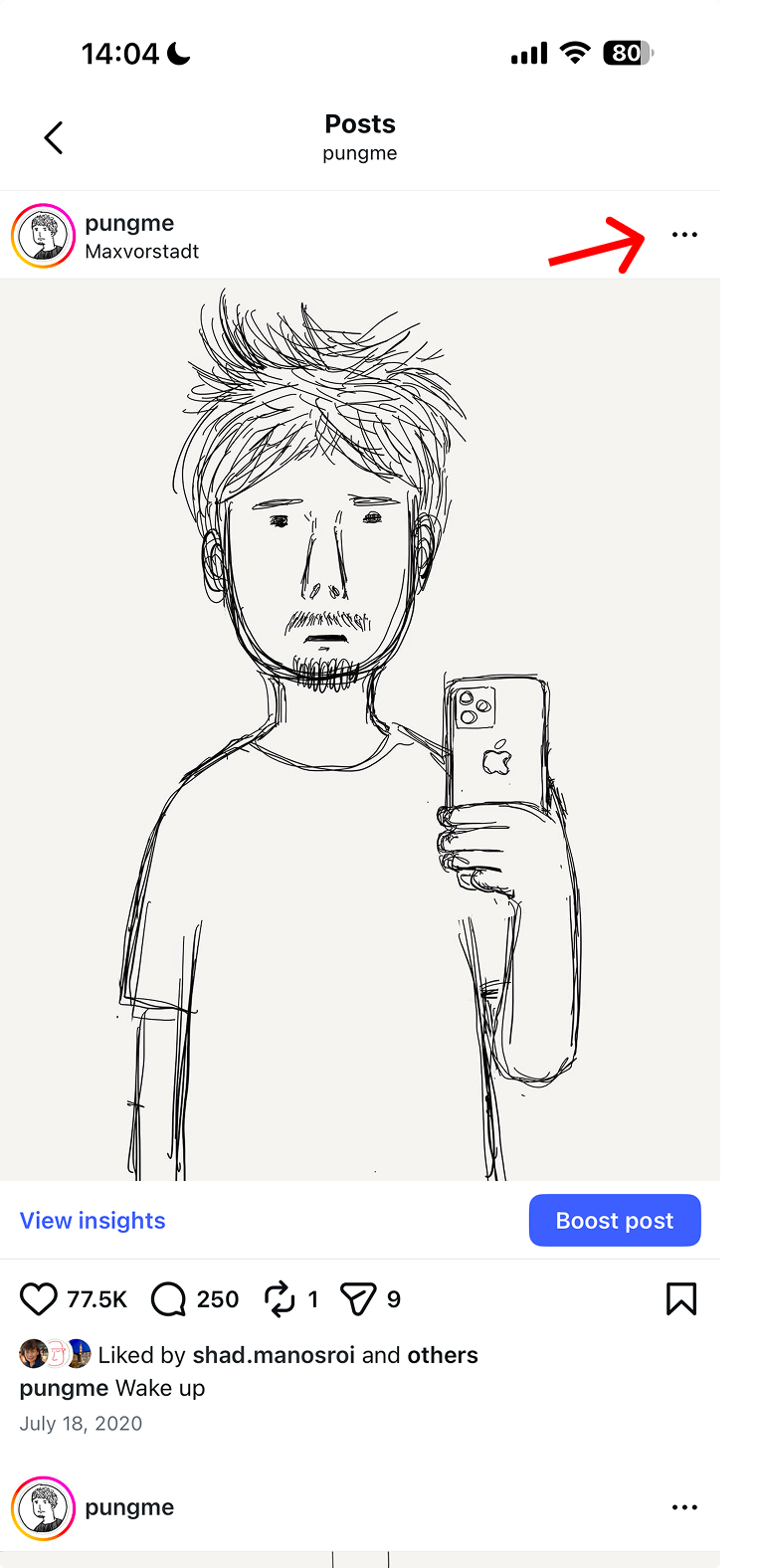
Step 6: Open the Reel or post you want to create the code for, and tap the three-dot menu (…) in the top right.
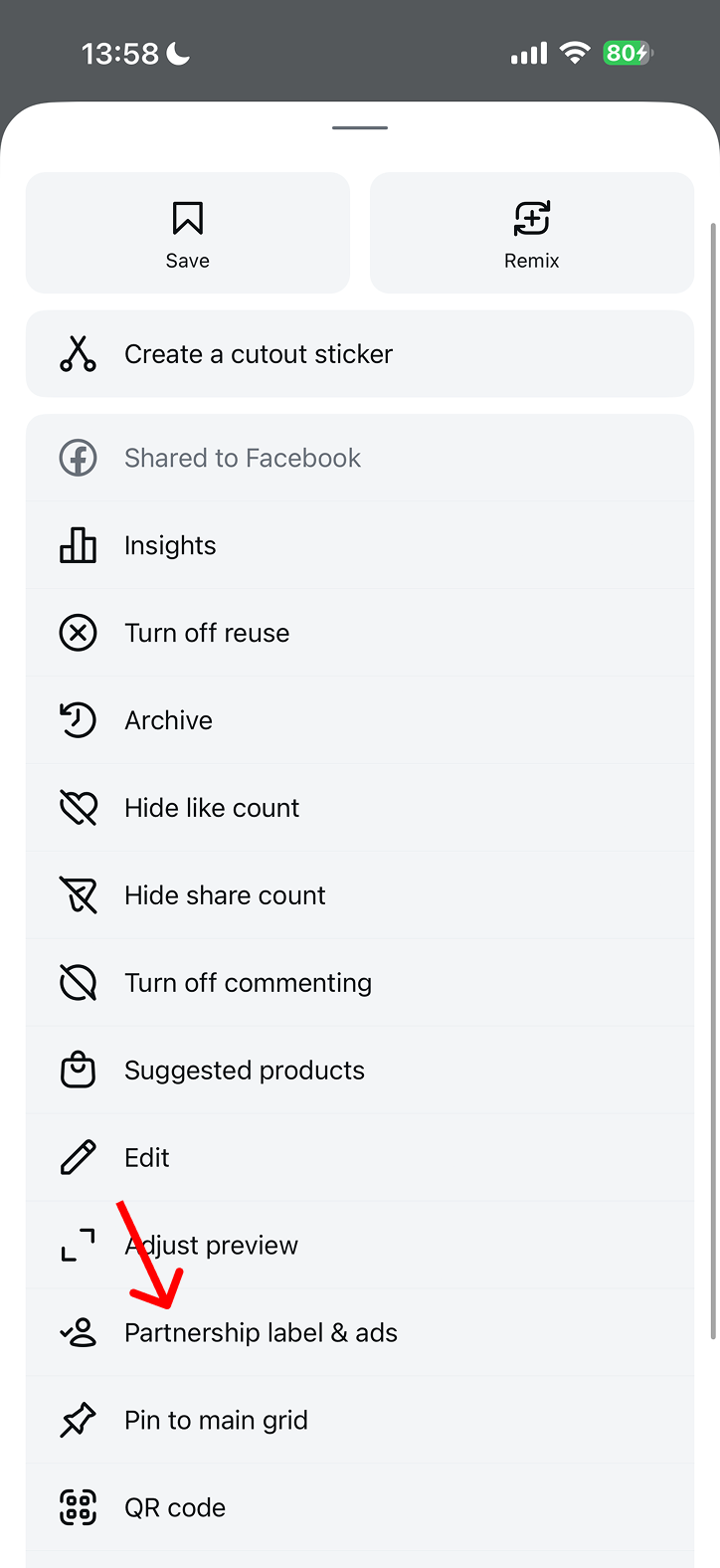
Step 7: Select „Partnership label & ads“ from the menu.
Step 8: Toggle „Get partnership ad code“ on, then tap „Copy“.
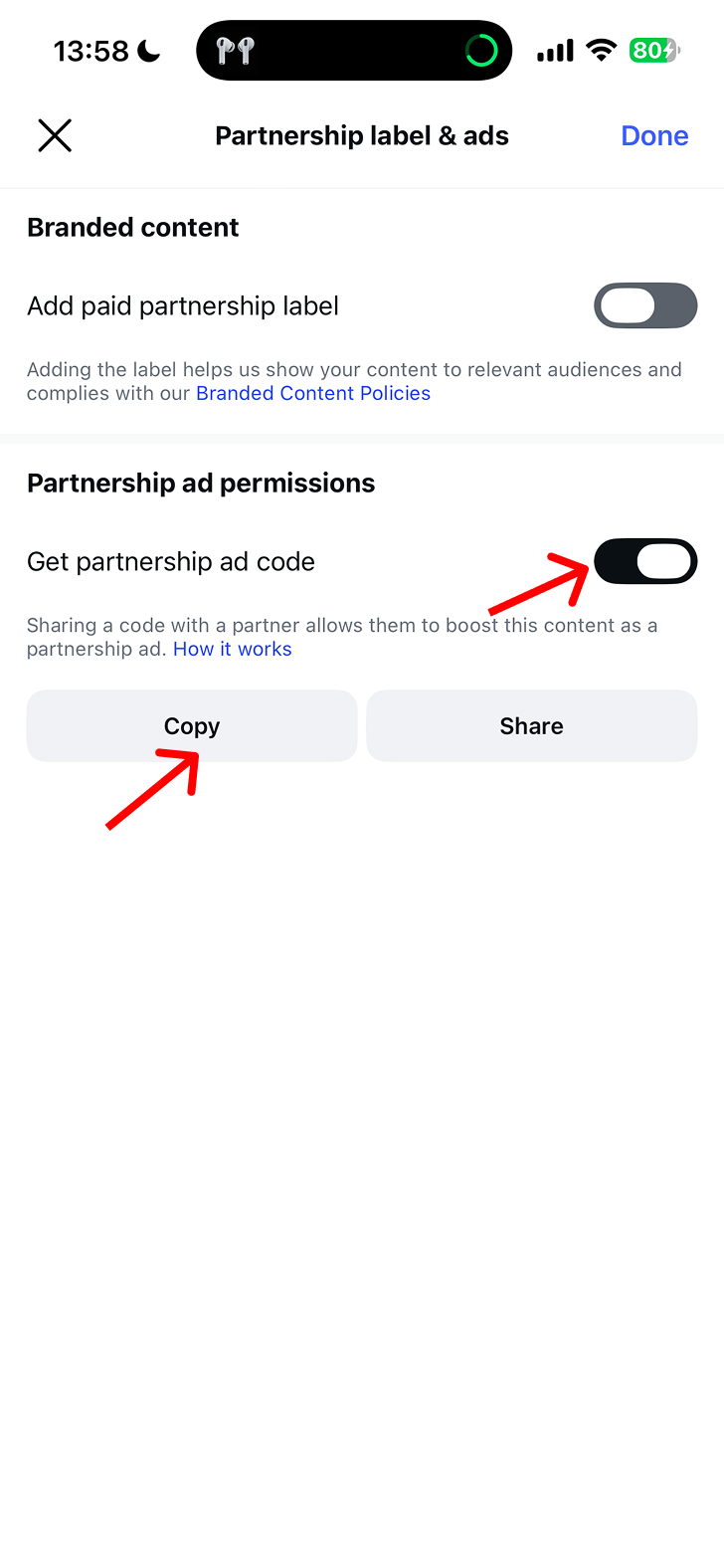
Paste the copied code into SongPush so the advertiser can promote your Reel as a Partnership Ad.
Important: Once the advertiser has purchased your code, they can use it for ads for up to one year. Please don't disable the code during this period.